Most players who go looking for mods aren’t trying to turn Minecraft into a different game. They want the same game with more to find: biomes worth exploring, villages that feel lived in, and a Nether that isn’t just a sea of netherrack.
This guide focuses on mods that expand the game while keeping its look, pacing, and survival loop intact. It also covers how to install them, how to avoid the usual compatibility problems, and what Bedrock players can do instead.
What Are the Best Minecraft Mods for Vanilla Gameplay?
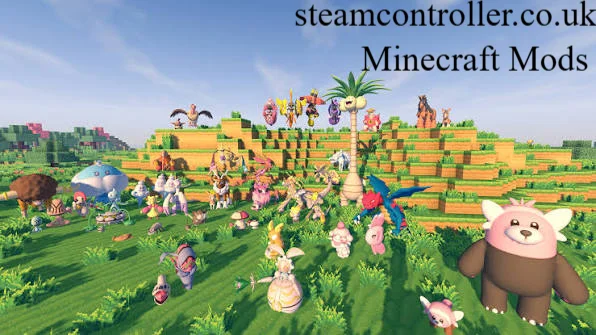
The best vanilla-friendly mods add content rather than replace systems. They give you new biomes, mobs, structures, and food while leaving the core mechanics of mining, crafting, and surviving alone.
A strong starter selection looks like this:
- Biomes O’ Plenty for Overworld variety
- Better Nether and Better End for the other dimensions
- YUNG’s mods for reworked structures
- Alex’s Mobs and Friends and Foes for new creatures
- Guard Villagers for livelier villages
- Farmer’s Delight for a deeper food system
- Serene Seasons for seasonal change
How Do Biome and World Generation Mods Change Exploration?
World generation mods make the map itself more interesting. In vanilla, you can walk for a long time between biomes that feel similar. Generation mods add variety so that travel keeps paying off.
Biomes O’ Plenty is the long-standing choice here. It adds dozens of biomes to the Overworld, such as lavender fields, bogs, and dead forests, and blends them into the existing terrain. It is a good fit for a new world because everything generates fresh from the start.
Serene Seasons doesn’t add terrain, but it changes how the world behaves. Crops grow differently by season, and the landscape shifts with the calendar. It pairs naturally with survival play.
Nether and End Overhauls
The vanilla Nether has improved, but many players still find the End sparse. Two mods target this directly:
- Better Nether adds new biomes, plants, and structures to the Nether.
- Better End expands the End with new terrain and islands, making the trip more than a boss fight.
Both were originally created by Paulevs, and their availability can differ by mod loader, so check which loader your version supports before committing to them.
Which Structure and Village Mods Are Worth Installing?
YUNG’s mods are the most popular structure upgrades, and they are known for keeping the vanilla art style. The YUNG’s Better series reworks familiar structures such as dungeons, mineshafts, and strongholds. They give you more variation and more to discover underground.
Villages are a separate problem. Vanilla villages can feel empty once you’ve traded. Guard Villagers adds defenders who protect villagers, making settlements feel safer and more alive. Together with a structure mod, it makes exploring the Overworld more rewarding.
What Are the Best Mob and Animal Mods?
Alex’s Mobs and Friends and Foes are two of the best-known picks. They approach mob additions differently:
| Mod | Best for | Feel |
|---|---|---|
| Alex’s Mobs | A wide range of new animals and creatures across many biomes | Large expansion |
| Friends and Foes | Filling gaps in vanilla, including mobs that vanilla players have wanted | Lighter and vanilla-like |
Alex’s Mobs pairs especially well with a biome mod, because new biomes give the new creatures somewhere to live. If you want to add mobs without overwhelming the game, Friends and Foes is the gentler option.
Which Food Mods Improve Survival Most?
Farmer’s Delight is the standard recommendation. It expands farming and cooking with new crops, cooking stations, and meals, without pushing you into complex tech systems. Food starts to matter beyond bread and steak.
It also has a family of add-ons. Nether’s Delight brings the same cooking style to Nether ingredients, and Chef’s Delight is another add-on in the same spirit. If you already like Farmer’s Delight, these are natural next steps, but check that the add-on supports the same game version and loader as the base mod.
Quick Comparison of Recommended Mods
| Goal | Mod | Focus |
|---|---|---|
| More Overworld variety | Biomes O’ Plenty | Biomes |
| Richer Nether | Better Nether | Dimension overhaul |
| Richer End | Better End | Dimension overhaul |
| Better structures | YUNG’s mods | Dungeons, mineshafts, more |
| Livelier villages | Guard Villagers | Village defense |
| New animals | Alex’s Mobs | Mobs |
| Vanilla-like mobs | Friends and Foes | Mobs |
| Deeper food | Farmer’s Delight | Cooking and farming |
| Seasonal play | Serene Seasons | Season cycle |
How Do You Install Minecraft Mods on Java Edition?
Install a mod loader, download mods that match your game version, and place them in your mods folder. Here is the process:
- Pick a loader. Forge, NeoForge, and Fabric are the common options. Choose the one your mods list as supported.
- Install the loader for the exact game version you plan to play.
- Download mods from a trusted source such as CurseForge or Modrinth, matching the game version and loader.
- Open your game folder and find the
modsfolder. Create it if it doesn’t exist. - Drop the mod files in and start the game using the loader’s profile.
- Install required libraries. Many mods need a companion library, which the download page will list.
Loader support differs between mods, so it is worth deciding on a loader before you pick your mod list, not after.
How Should You Choose Mods and Build a Modpack?
Start small, match versions, and add mods in groups. A modpack of 10 to 20 well-chosen mods usually plays more smoothly than a large one, and it makes troubleshooting far easier.
A few habits that save time:
- Read the description and changelog for known conflicts.
- Avoid overlapping mods. Two mods that both rework the same structures can clash.
- Add mods in batches and launch the game between them so you can spot the one that causes a crash.
- Back up your world before adding anything to an existing save.
- Prefer new worlds for generation mods, since they only affect newly created chunks.
For an easy first modpack idea, try a “vanilla plus” survival pack: Biomes O’ Plenty, Better Nether, Better End, a YUNG’s structure mod, Guard Villagers, Farmer’s Delight, and one mob mod. It changes what you find without changing how you play.
Where Should You Download Mods Safely?
Stick to established platforms. CurseForge and Modrinth are the most widely used places to find Minecraft mods, and both list supported versions and loaders on each project page. Download only from the mod’s official listing, and be cautious of reupload sites that bundle files or ask you to run installers.
Frequently Asked Questions
Are Minecraft mods available for Bedrock Edition?
Not in the same way as Java. Bedrock doesn’t support Forge or Fabric mods. It uses add-ons and content packs, which you can get through the in-game Marketplace or as files such as .mcaddon and .mcpack. Most of the mods named in this article are Java-only.
Are Minecraft mods free?
Most community mods are free. The mods in this article are distributed for free on platforms like CurseForge and Modrinth, and some authors accept optional donations. Paid content mainly appears in the Bedrock Marketplace.
Can I get Minecraft mods on Minecraft PE?
Minecraft PE, now simply Bedrock on mobile, supports add-ons rather than Java-style mods. You can install compatible add-on files on a phone or tablet, but you can’t run Forge or Fabric mods.
Which mods work on Minecraft Java Edition?
Nearly all of the well-known mods do. Java Edition is the main platform for modding, using loaders such as Forge, NeoForge, and Fabric. Always confirm that a mod supports your specific game version and loader.
How do I download Minecraft mods on mobile?
Download compatible add-ons, not Java mods. On Bedrock mobile, use the Marketplace or trusted add-on files that open directly in the game. Avoid apps that claim to install any mod with one tap, since they are a common source of malware and misleading listings.
What are the best Minecraft mods for Android?
Android runs Bedrock, so look for Bedrock add-ons. Marketplace content and well-reviewed add-ons are the safest route. The Java mods covered above, such as Biomes O’ Plenty or Farmer’s Delight, aren’t designed for Android.
What are the best Minecraft mods for survival?
Farmer’s Delight, Serene Seasons, Biomes O’ Plenty, and Guard Villagers are among the best. Together they deepen food, farming, terrain, and village life while leaving the survival loop untouched.
Are Minecraft mods on Nexus Mods a good source?
They can be, but most players use CurseForge or Modrinth first. Nexus Mods has a Minecraft section, though its catalog is much smaller than those platforms. If you use it, verify the version and loader details on the page.
Final Thoughts
The best mods for a vanilla-style world don’t announce themselves. They make a jungle feel more alive, a village feel safer, and a cave more worth exploring. Start with a few mods that target one area each, such as world generation, structures, or food, and add more only when you know how they play together.
Author Bio: Hamid Ali is a gaming writer covering Minecraft mods, Java and Bedrock editions, modpacks, and survival gameplay. He focuses on practical, research-based guides that help players discover mods, improve their worlds, and troubleshoot compatibility issues.
Author Name: Hamid Ali
Email: johanharwen314@gmail.com
Also Read: