Introduction
An Elgato Stream Deck Call of Duty Warzone setup can give PC players a convenient way to place frequently used commands, shortcuts, communication controls, and streaming actions on dedicated physical keys. Instead of reaching through menus or remembering every keyboard shortcut, you can create a customized control surface next to your keyboard and mouse.
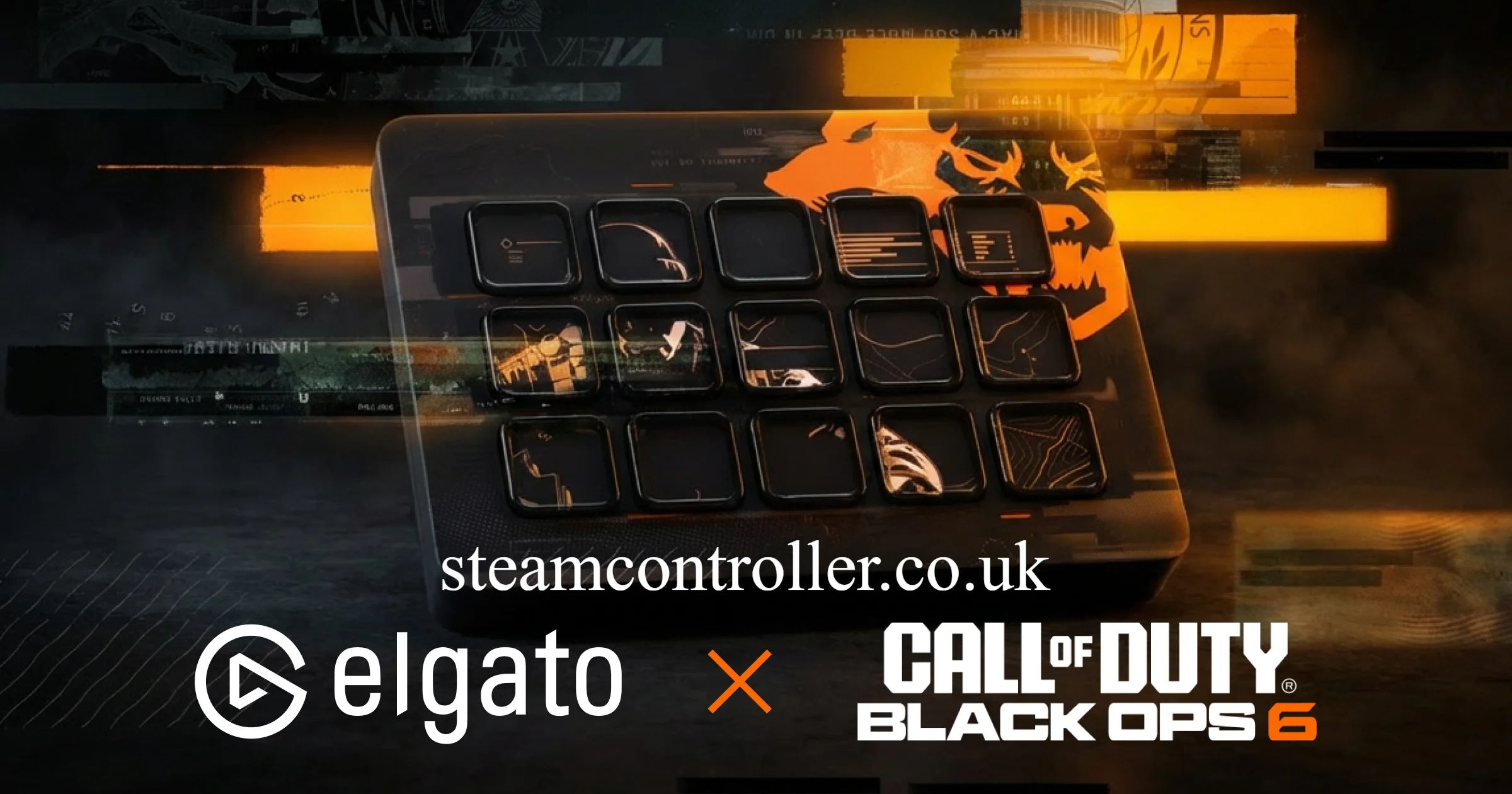
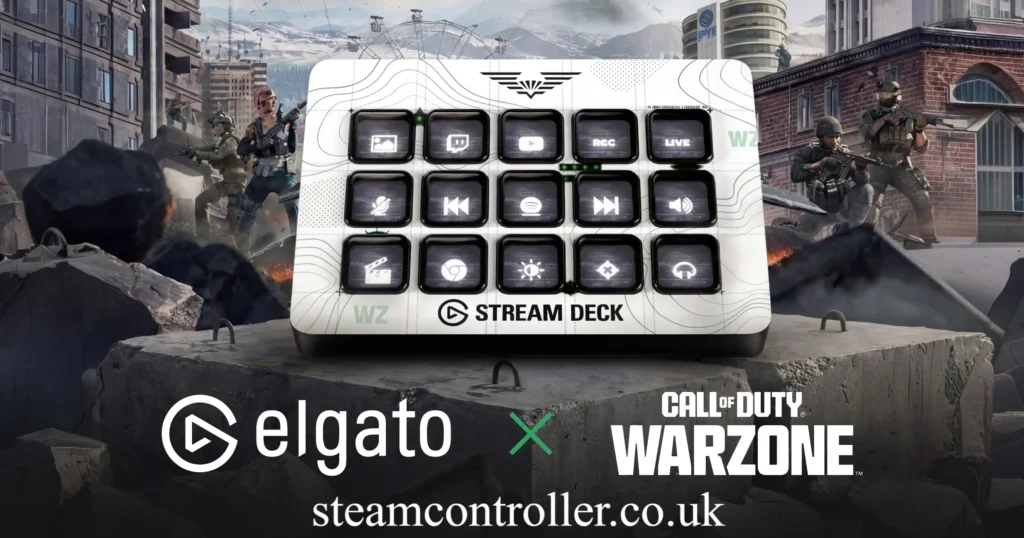
Elgato currently offers a dedicated Call of Duty: Warzone Edition Stream Deck, featuring Warzone-themed styling while retaining the customizable functionality of Stream Deck hardware. The current official product page lists the 15-key model and Windows/macOS compatibility.
It is important to understand what Stream Deck does and does not do. It is not a replacement for your mouse, keyboard, or controller, and it should not be treated as a device that automatically gives you an unfair gameplay advantage. Its biggest benefit is quick access to supported actions, hotkeys, profiles, and your wider gaming setup.
What Is Elgato Stream Deck for Call of Duty Warzone?
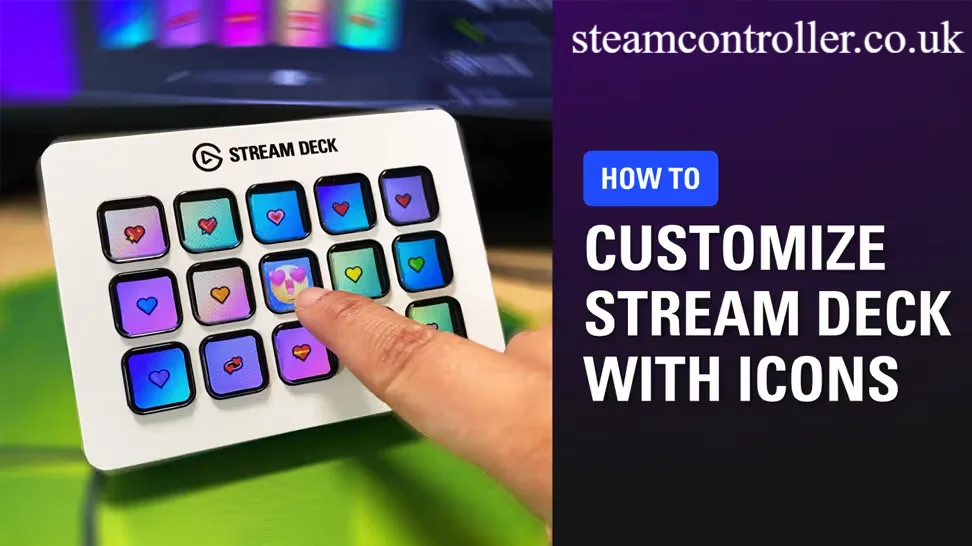
Elgato Stream Deck is a programmable control pad with customizable LCD keys. Each key can display an icon and trigger an assigned action.
For a Warzone player, that means you can create a dedicated layout for your gaming session and place useful commands where they are easy to reach.
Depending on your setup, Stream Deck can be used for:
- Keyboard shortcuts
- Push-to-talk or communication controls
- Streaming commands
- OBS scene switching
- Audio controls
- Applications and system shortcuts
- Custom macros and multi-actions
- Warzone-related profiles and shortcuts
Elgato’s Stream Deck software supports plugins, profiles, pages, folders, hotkeys, and Multi Actions, allowing one device to handle many different workflows.
Does Stream Deck Work With Call of Duty Warzone?
Yes, Stream Deck can be used alongside Warzone on a compatible PC setup, primarily through configurable hotkeys and supported integrations.
However, there is an important distinction between a Warzone-themed Stream Deck product and a dedicated plugin that gives unrestricted control over every Warzone gameplay mechanic.
Elgato currently sells an official Call of Duty: Warzone Edition Stream Deck and a Warzone faceplate designed for the 15-key Stream Deck MK.2.
The Stream Deck’s general functionality comes from its software, programmable keys, hotkeys, profiles, and plugins.
That makes it particularly useful for players who also stream or create content.
How to Use Stream Deck With Call of Duty Warzone
Setting up Stream Deck for Warzone is relatively straightforward.
1. Connect Your Stream Deck
Connect the device to your gaming PC using the appropriate USB connection.
Current Stream Deck models are designed to work with Windows and macOS, although exact operating-system requirements vary by model. The current Warzone Edition 15-key Stream Deck requires Windows 11 or later or macOS 13 or later.
2. Install Stream Deck Software
Install Elgato’s Stream Deck software and open the application.
The software provides the main interface for assigning actions, creating profiles, changing icons, and organizing your controls.
3. Create a Warzone Profile
Create a dedicated profile for your gaming setup.
A useful profile might include:
- Push-to-talk
- Discord controls
- OBS controls
- Audio mute
- Stream start/stop
- Clip recording
- Screenshot
- Game launch
- Frequently used shortcuts
Profiles can help you keep gaming commands separate from your normal desktop or streaming workflow. Elgato supports Smart Profiles that can automatically change layouts according to the active application.
4. Assign Your Actions
Drag an available action onto a Stream Deck key.
You can then select a hotkey or supported plugin action and give the button an appropriate icon.
For example, instead of remembering a keyboard shortcut for a streaming function, you could place it on a clearly labeled button.
5. Test Everything Before Playing
Always test your layout before entering an important match.
This is especially important for actions that could interrupt gameplay, activate another application, or send an unexpected keyboard command.
Best Stream Deck Features for Warzone
Quick-Access Gaming Shortcuts
The most straightforward use of Stream Deck with Warzone is assigning shortcuts to dedicated keys.
This can reduce the need to remember multiple combinations and can make your overall gaming workflow more organized.
The important point is that Stream Deck does not magically improve aiming or movement. Its advantage is convenience and organization.
Streaming Controls
For Warzone streamers, this can be even more useful.
You can create keys for:
- Starting or stopping a stream
- Switching OBS scenes
- Muting a microphone
- Activating overlays
- Starting recordings
- Playing sound effects
- Managing other streaming functions
This lets you keep your keyboard and mouse focused on the game while Stream Deck handles secondary tasks.
Discord and Communication
Communication is a major part of multiplayer gaming.
A dedicated button can make frequently used communication controls easier to access, depending on the software and configuration you use.
For example, a Stream Deck profile can include Discord-related actions alongside your streaming controls.
Audio Controls
The Stream Deck + is particularly interesting for creators because it combines customizable keys with four multifunction dials and an LCD touch panel. Elgato describes it as a hybrid control and digital-mixing device, with Wave Link integration for audio workflows.
For a Warzone streamer, this can be useful for adjusting audio without constantly switching applications.
Stream Deck and Warzone Loadouts
Loadouts are central to Call of Duty gameplay, but users should distinguish between game-supported functionality and generic keyboard automation.
Stream Deck can provide hotkeys or supported commands, but it should not be assumed that every in-game loadout action can be directly controlled through an official Stream Deck integration.
If a particular Warzone action does not expose a supported command or reliable keyboard shortcut, Stream Deck cannot simply invent that functionality.
This is one reason to test your intended layout before relying on it during a match.
Can Stream Deck Control Scorestreaks or Field Upgrades?
This depends on the specific Call of Duty title and the controls exposed by the game.
The official Elgato material currently promotes dedicated in-game control for Black Ops 7, including loadout switching, Scorestreaks, Field Upgrades, and emotes. That should not automatically be interpreted as identical native functionality for Warzone.
For Warzone, the safer approach is to use Stream Deck for supported shortcuts, hotkeys, streaming commands, communication, and other functions that your specific game setup reliably recognizes.
Virtual Stream Deck: An Alternative to Hardware
If you don’t want another physical device on your desk, Elgato also offers Stream Deck Mobile, which provides a virtual keypad experience.
Elgato’s current product information describes a free six-key Stream Deck Mobile option with support for plugins and hotkeys.
This can be useful if you want to experiment with Stream Deck functionality before purchasing dedicated hardware.
The main disadvantage for gaming is physical accessibility. A hardware key is easier to find by touch without looking away from the screen.
Best Elgato Stream Deck Models for Warzone
There isn’t one perfect Stream Deck for every Warzone player. The right choice depends on whether you’re primarily gaming, streaming, or managing a more complicated setup.
| Model | Best For | Key/Control Setup |
|---|---|---|
| Stream Deck Neo | Budget-friendly setups | 8 customizable LCD keys |
| Stream Deck MK.2 / 15-key Stream Deck | Most Warzone users | 15 customizable keys |
| Stream Deck XL | Streamers and power users | 32 customizable keys |
| Stream Deck + | Gaming + audio control | 8 keys + 4 multifunction dials |
| Stream Deck Mobile | Trying Stream Deck without hardware | Virtual six-key setup |
Stream Deck Neo
The Stream Deck Neo has eight customizable LCD keys plus two touch points and an Infobar. It is a compact choice if you only need a handful of controls.
It can work well for a simple Warzone setup containing communication, recording, audio, and streaming controls.
Stream Deck MK.2 / 15-Key Stream Deck
For most users, the 15-key Stream Deck is the balanced option.
The current Warzone Edition uses 15 customizable LCD keys and comes with Warzone-themed styling. Elgato also offers an official Warzone faceplate specifically designed for the 15-key Stream Deck MK.2.
It gives you enough physical buttons without taking up as much desk space as the XL.
Stream Deck XL
The Stream Deck XL is designed for users who want a much larger control surface.
It has 32 customizable LCD keys in an 8×4 layout, making it suitable for streamers who want separate controls for gaming, OBS, Discord, audio, recording, and other applications.
For pure Warzone gameplay, 32 buttons may be unnecessary. For a full creator workstation, however, the additional keys can be valuable.
Stream Deck +
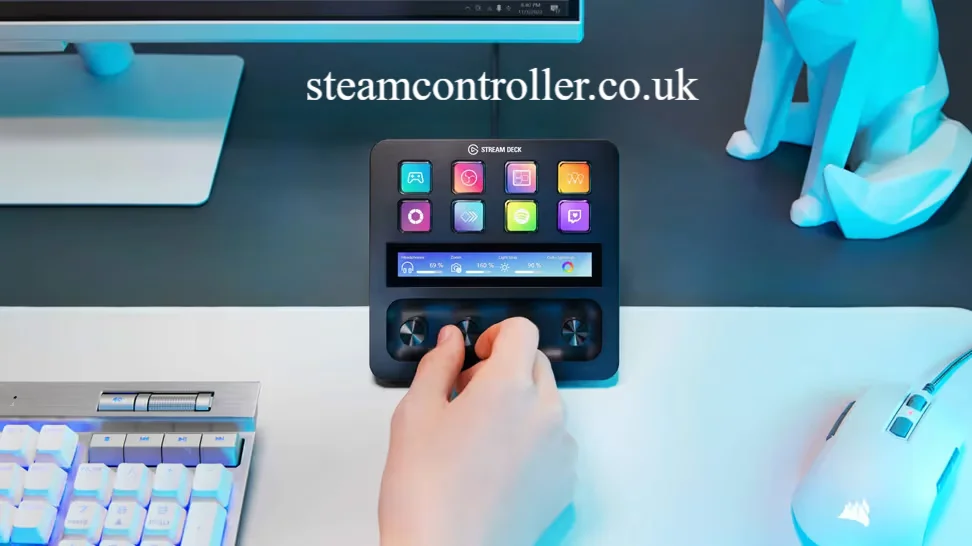
The Stream Deck + combines eight customizable keys with four multifunction dials and an LCD touch panel.
Its dials make it particularly attractive for creators who need physical audio controls while playing.
What About the Elgato Stream Deck 10GBD9901?
10GBD9901 is associated with Elgato’s Stream Deck product family rather than being a separate gaming technology.
When shopping, it is better to identify the actual model name, number of keys, included accessories, and current compatibility instead of relying only on a SKU or model identifier.
For example, Elgato’s current Stream Deck + page identifies SKU 10GBD9911 for that particular model.
If a retailer lists “Elgato Stream Deck 10GBD9901,” verify the listing against Elgato’s official specifications before purchasing.
What About the Elgato Stream Deck Scissor Keys?
Scissor keys are a key-switch option available on some Stream Deck configurations.
Elgato describes scissor keys as providing a crisper and more responsive feel compared with classic membrane-style keys.
For Warzone, the choice is largely about physical preference. Scissor switches do not inherently make your aim, reaction time, or movement better.
Choose the key type that feels comfortable and easy to press accurately.
Can You Use Stream Deck With PS5 Warzone?
Stream Deck’s standard hardware and software are primarily designed around computer-based control workflows. Current Elgato Stream Deck products list Windows and macOS as their operating systems.
Therefore, you should not assume that a physical Stream Deck can directly control Warzone gameplay on PS5 in the same way it can be configured alongside a PC.
If you play Warzone on console, check the exact Elgato product and game compatibility before purchasing.
Is the Purple Stream Deck Good for Warzone?
If you’re referring to an Elgato Stream Deck with a purple or lavender finish, the color is primarily an aesthetic choice rather than a performance feature.
The current Stream Deck range includes different colors and themed faceplates depending on the model and market.
For Warzone, focus first on:
- Number of keys
- Key type
- Software compatibility
- Desk space
- Streaming requirements
- Audio-control needs
- Price
Choose the color afterward.
Is Elgato Stream Deck Worth It for Warzone?
For a PC Warzone player who streams, records gameplay, or uses multiple applications, Stream Deck can be very useful. For a player who only wants better in-game performance, it may not be necessary.
The biggest benefits are workflow-related rather than raw gameplay performance.
It is worth considering if you:
- Stream Warzone regularly
- Record gameplay
- Use OBS
- Frequently switch applications
- Use Discord while gaming
- Want physical shortcuts
- Need dedicated audio controls
- Prefer visual buttons over memorized shortcuts
It may not be worth buying if you:
- Only play casually
- Never stream
- Rarely use shortcuts
- Have limited desk space
- Don’t need additional controls
The device is best understood as a control and workflow accessory, not a performance-enhancing gaming peripheral.
Elgato Stream Deck Call of Duty Warzone FAQs
Does Stream Deck work with Call of Duty Warzone?
Yes. Stream Deck can be used alongside Warzone on PC for compatible hotkeys, shortcuts, profiles, plugins, and related gaming or streaming functions. However, not every Warzone gameplay action should be assumed to have native Stream Deck integration.
Can Stream Deck change Warzone loadouts?
Stream Deck can trigger configured shortcuts where the game and setup support them, but users should not assume that every Warzone loadout function has a dedicated official Stream Deck command. Test any loadout workflow before using it in live matches.
Can Stream Deck control scorestreaks?
Scorestreak functionality varies by Call of Duty title. Elgato currently advertises specific Scorestreak controls for its Black Ops 7 integration, but that should not be treated as proof of identical native functionality in Warzone.
Which Stream Deck is best for Warzone?
For most players, the 15-key Stream Deck is the best balance between available controls and desk space. Stream Deck XL is better for creators who need many controls, while Stream Deck + is attractive for users who want physical audio dials.
Do you need a plugin to use Stream Deck with Warzone?
Not necessarily. Stream Deck can use hotkeys as well as plugins. Elgato explicitly describes these as two ways to control applications: hotkeys can be used where a dedicated plugin is unavailable, while plugins can provide deeper integration where supported.
What is Elgato Stream Deck XL?
Stream Deck XL is Elgato’s 32-key control surface. It uses an 8×4 arrangement of customizable LCD keys and is designed for users who need many controls available at once.
What is Elgato Stream Deck MK.2?
The Stream Deck MK.2 is the 15-key version of Elgato’s classic Stream Deck design. Elgato’s official Warzone faceplate is specifically designed for this 15-key MK.2 model.
What is Elgato Stream Deck Neo?
Stream Deck Neo is a compact model with eight customizable LCD keys, two touch points, and an Infobar. It is suitable for users who want a smaller and simpler control setup.
What is Elgato Stream Deck Scissor Keys?
Scissor keys are an alternative switch design used on certain Stream Deck models. They provide a crisper, more responsive press compared with classic membrane keys.
What is the Corsair Elgato Gaming Stream Deck Plus?
Stream Deck + is an Elgato control device that combines eight customizable LCD keys with four multifunction dials and an LCD touch panel. It is especially useful for users who combine gaming, streaming, and audio management.
Can I use Stream Deck Mobile instead of buying a physical Stream Deck?
Yes. Elgato provides Stream Deck Mobile as a virtual alternative, including a free six-key option with plugin and hotkey support.
Final Verdict
The Elgato Stream Deck Call of Duty Warzone setup makes the most sense when you want more control over your gaming and streaming environment rather than expecting a hardware shortcut pad to transform your gameplay.
For a typical PC Warzone player, the 15-key model is the most balanced option. Streamers who need extensive controls can move up to the 32-key Stream Deck XL, while creators who care about audio control may prefer Stream Deck +.
The key advantage is flexibility. You can build a Warzone profile, add shortcuts, manage streaming software, control audio, and organize frequently used actions in one physical interface.
Just remember that Warzone-specific functionality should be verified separately from Black Ops-specific Stream Deck integrations. Elgato currently markets dedicated Black Ops 7 controls such as loadouts, Scorestreaks, Field Upgrades, and emotes, while its Warzone Edition hardware is primarily a themed Stream Deck product.
For players who stream or frequently switch between gaming, communication, and content-creation tasks, that convenience can make Stream Deck a worthwhile addition to a Warzone gaming setup.
About the Author: Hamid Ali is a gaming and technology writer covering video games, gaming hardware, accessories, and the latest industry trends. He creates practical, research-based guides that help players choose the right gaming tools and improve their overall setup.
Author Name: Hamid Ali
Email: johanharwen314@gmail.com
Also Read: