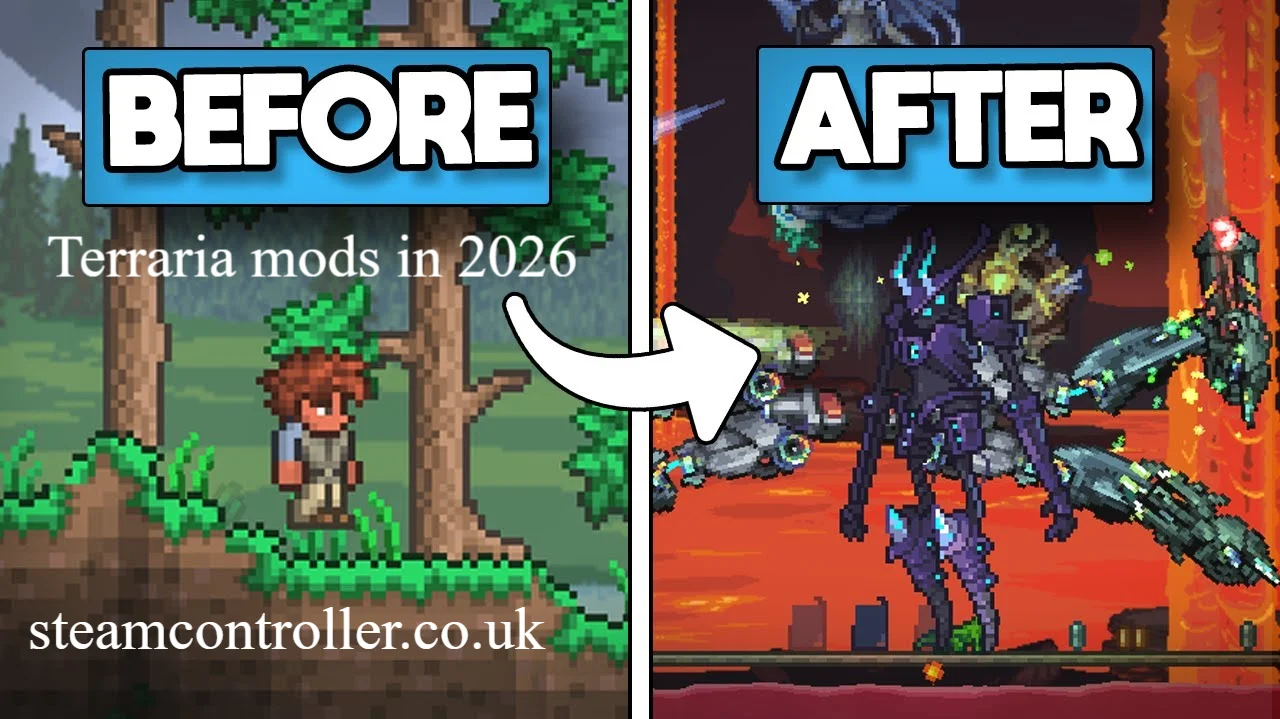
Terraria mods can turn an already enormous sandbox adventure into something completely different. Depending on what you install, you can add new bosses, weapons, biomes, NPCs, classes, quests, recipes, progression systems, quality-of-life features, or even a completely new way to play.
The easiest way to get started on PC is tModLoader, the community-developed modding platform for Terraria. It supports both large content expansions and smaller utility mods, and its Steam version includes an in-game mod browser and Steam Workshop support.
Whether you’re starting your first modded Terraria world or looking for a serious challenge after hundreds of hours, the right combination depends on what you want to change.
What Are the Best Terraria Mods in 2026?
The best mod depends on your goal. Calamity is a strong choice for players who want a massive content expansion and difficult combat, while Thorium is another major content mod for players looking for new classes and a different progression experience.
For players who want to keep vanilla Terraria mostly intact, utility mods such as Recipe Browser and Boss Checklist can improve exploration and progression without completely changing the game.
Here is a useful starting point:
| Mod | Best For | Type |
|---|---|---|
| Calamity Mod | Huge content expansion | Overhaul/Content |
| Thorium | New content and classes | Content |
| Terraria Overhaul | Changing core gameplay | Overhaul |
| Recipe Browser | Finding crafting recipes | Quality of life |
| Boss Checklist | Tracking progression | Quality of life |
| Magic Storage | Better item management | Quality of life |
| Cheat Sheet | Testing and sandbox play | Utility |
| Stars Above | RPG-style progression | Content |
| Spirit Mod | Exploration and new content | Content |
| Mod of Redemption | Large adventure experience | Content |
| Census | NPC management | Quality of life |
| Ore Excavator | Faster mining | Quality of life |
| AlchemistNPC Lite | Potions and utility items | Quality of life |
| Boss Cursor | Locating bosses | Utility |
| Fargo’s Mutant Mod | Convenience and challenge tools | Utility |
Availability and compatibility can change as Terraria and tModLoader versions develop, so check the current mod page before installing.
1. Calamity Mod
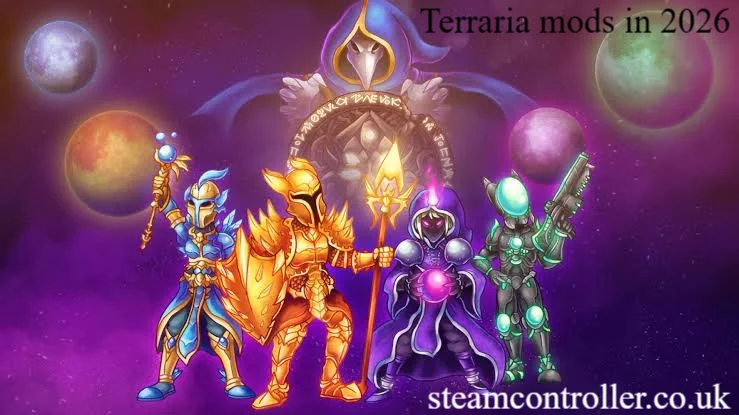
Calamity is one of the biggest choices for players who want Terraria to feel substantially larger and harder.
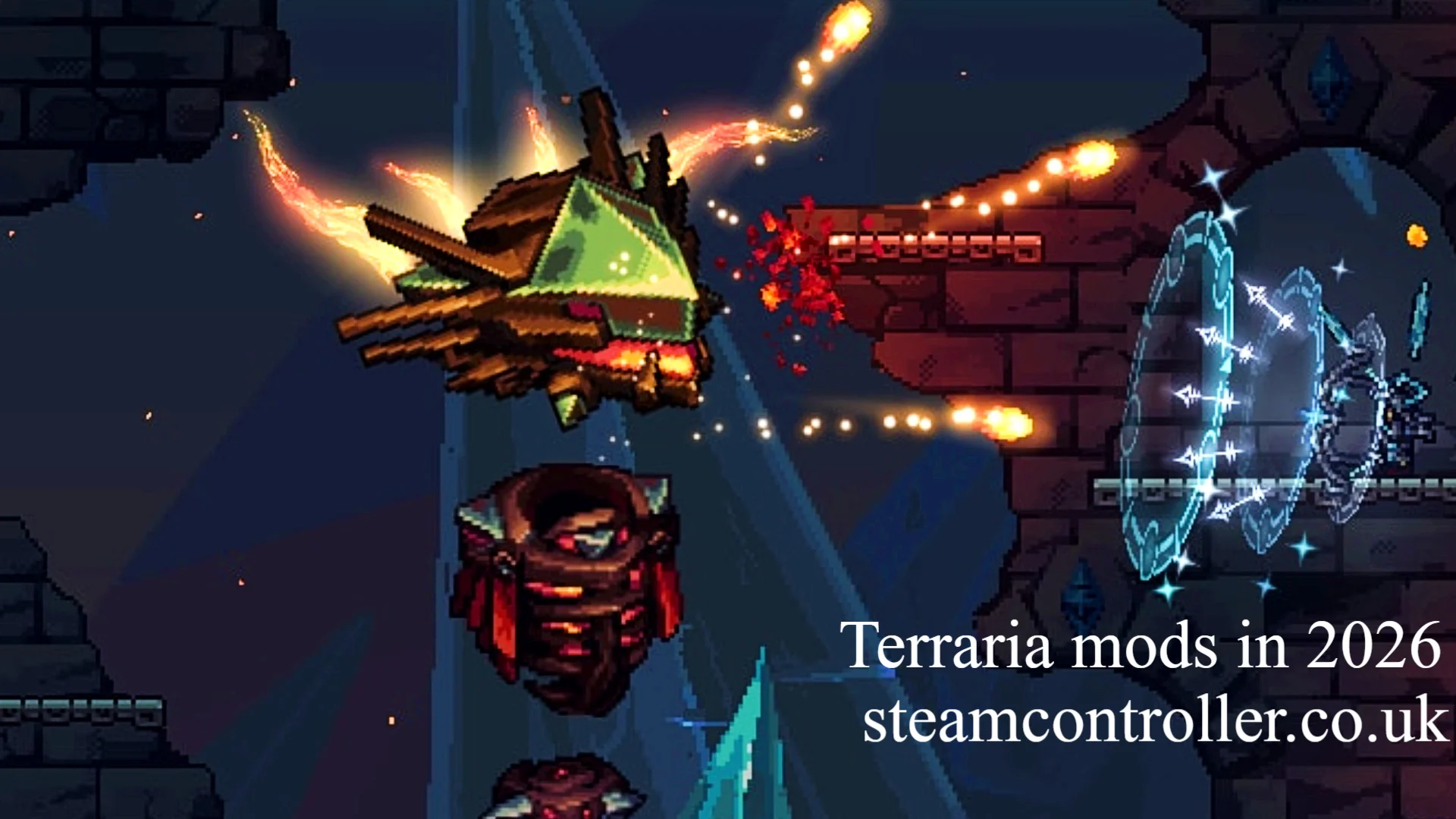
The mod adds a huge amount of new content, including bosses, enemies, weapons, accessories, progression systems and other gameplay features. Its official project documentation describes it as a large Terraria content mod with dozens of bosses and thousands of items, and it requires tModLoader.
Calamity is particularly appealing if you’ve already completed vanilla Terraria and want:
- New boss battles
- New weapons and accessories
- More challenging encounters
- Additional progression
- Large amounts of new content
- A tougher experience for experienced players
It is not necessarily the best first mod for a completely new Terraria player because the additional systems can make the game more complicated.
2. Thorium Mod
Thorium is an excellent choice for players who want a large content expansion without simply repeating the vanilla experience.
Thorium has long been known for adding new content, enemies, items, bosses, NPCs and classes. It can work particularly well for multiplayer because different players can specialize in different roles.
If you enjoy experimenting with character classes and cooperative gameplay, Thorium is worth considering.
Why choose Thorium?
- Large content expansion
- New classes
- New bosses
- New items
- Multiplayer-friendly progression
- Additional exploration
- RPG-style gameplay
The main appeal is variety. Rather than focusing only on making Terraria harder, it expands the ways you can approach the game.
3. Terraria Overhaul
Terraria Overhaul is designed to change how Terraria feels rather than simply adding a huge collection of new items.
Instead of concentrating entirely on new content, overhaul-style mods can modify systems such as combat, movement and other core mechanics.
That makes this type of mod attractive to veteran players who know vanilla Terraria extremely well and want familiar gameplay to feel different.
Before installing any major overhaul, however, check its current compatibility with your tModLoader version.
4. Recipe Browser
If you’re tired of constantly asking the Guide what an item does, Recipe Browser is one of the most useful quality-of-life additions.
It allows players to search for items and inspect crafting recipes directly inside the game.
This is particularly helpful when:
- You don’t know where an item comes from
- You need to find crafting ingredients
- You’re working through a large mod pack
- You want to check what an item can create
- You are playing a content-heavy mod such as Calamity
For heavily modded Terraria, a recipe lookup tool can save a significant amount of time.
5. Boss Checklist
Boss Checklist is ideal for players who want a clearer progression path.
Vanilla Terraria has its own progression structure, but adding several content mods can make it difficult to remember which boss you should fight next.
A progression checklist can help you track:
- Bosses you have defeated
- Bosses you can encounter next
- Boss progression
- Summoning information
- Drops and progression requirements
It becomes especially useful when multiple content mods add their own bosses.
6. Magic Storage
Inventory management becomes increasingly difficult as your world fills with ores, weapons, building materials, accessories and crafting ingredients.
Magic Storage addresses this problem by creating a centralized storage system.
Instead of maintaining dozens of separate chests, you can organize a large collection of items into a connected storage network.
It is especially useful for:
- Long-term worlds
- Multiplayer
- Large mod packs
- Builders
- Players who collect everything
For many players, this type of quality-of-life mod is more valuable than another weapon or boss.
7. Stars Above
If you’re looking for RPG-style gameplay, Stars Above is another type of mod worth exploring.
Mods in this category typically add their own progression, abilities, weapons and systems rather than simply modifying existing Terraria items.
It can be a good fit for players who enjoy:
- Character progression
- New combat abilities
- Story elements
- Custom weapons
- RPG mechanics
8. Spirit Mod
Spirit-style content mods focus on expanding exploration and adventure.
A large content mod can make a new world feel less familiar by introducing additional items, enemies, environments and progression.
This category is ideal if your main reason for installing Terraria mods is simply:
“I’ve played vanilla Terraria too many times and want something new.”
9. Mod of Redemption
For players looking for a more substantial adventure, Mod of Redemption is another name to investigate.
Large-scale adventure mods can introduce new encounters, environments, story elements and progression systems that make Terraria feel closer to a standalone expansion.
These mods are best suited to players who are comfortable learning new mechanics rather than people who only want small improvements.
10. Cheat Sheet
Cheat Sheet is designed more for experimentation and convenience than a traditional survival playthrough.
It can be useful for testing:
- Items
- Weapons
- NPCs
- World features
- Mod interactions
- Builds
- Boss encounters
It is particularly useful for mod developers, content creators and players who want to experiment.
For a normal survival run, however, using powerful utility features can remove some of Terraria’s progression and challenge.
11. Census
When your Terraria world contains many mods that introduce NPCs, keeping track of town characters can become complicated.
A town NPC checklist such as Census can help you understand which NPCs are available and what conditions are associated with them.
This is a small change, but it can be extremely useful in larger mod packs.
12. Ore Excavator
Mining is one of Terraria’s core activities, but repeatedly breaking every block in a large ore vein can become tedious.
An ore-excavation quality-of-life mod can allow players to mine connected resources more efficiently.
This is particularly useful when:
- Building large bases
- Preparing for boss fights
- Mining large quantities of ore
- Playing long-term worlds
It improves convenience without necessarily adding an entirely new progression system.
13. AlchemistNPC Lite
Potion management becomes more important in difficult modded playthroughs.
Alchemist-style NPC mods can provide additional ways to obtain potions and useful consumables, reducing some of the repetitive farming associated with preparation.
This can be especially helpful when a content mod introduces many difficult boss battles.
14. Boss Cursor
Finding a boss during a chaotic fight can be difficult, particularly when playing with several players or fighting large enemies.
A boss-location utility can make it easier to understand where the target is during combat.
This is a relatively small quality-of-life improvement compared with Calamity or Thorium, but sometimes small improvements make a larger difference than major content additions.
15. Fargo’s Mutant Mod
Fargo’s Mutant Mod is another popular choice for players interested in convenience and additional gameplay systems.
Rather than being only a visual modification, it can affect progression and provide tools that reduce repetitive tasks.
It can work particularly well as part of a larger mod collection, although you should always check compatibility before combining multiple major mods.
Which Terraria Mods Are Best for Beginners?
Beginners should usually start with quality-of-life mods rather than installing several huge content expansions at once.
A simple starter combination could include:
- Recipe Browser
- Boss Checklist
- Magic Storage
- Census
- Ore Excavator
These mods can improve the experience while allowing you to learn the fundamentals of Terraria.
Once you understand vanilla progression, you can move into larger Terraria content mods.
Best Mod Combination for Beginners
A beginner-friendly setup could look like:
Recipe Browser + Boss Checklist + Magic Storage
This combination gives you better crafting information, clearer progression and easier storage without immediately changing every aspect of the game.
What Are the Best Terraria Mods for Veterans?
Experienced players have more reason to install large overhaul and content mods.
A veteran-oriented setup might include:
- Calamity
- Thorium
- Terraria Overhaul
- Recipe Browser
- Boss Checklist
- Magic Storage
However, do not automatically install every large content mod together.
Major mods can introduce overlapping progression systems, bosses, items and balance changes. Compatibility and performance can also vary.
The better strategy is to start with one major content mod and then add smaller quality-of-life tools.
What Are the Best Terraria Mods for New Content?
If your priority is adding as much new gameplay as possible, look toward large content mods rather than texture packs or utility mods.
The strongest categories to explore include:
Content Overhauls
These can add:
- New bosses
- New enemies
- New weapons
- New accessories
- New NPCs
- New biomes
- New crafting recipes
- New progression systems
RPG Mods
These focus more heavily on:
- Character classes
- Skills
- Quests
- Story progression
- Abilities
- Custom equipment
Adventure Mods
These can provide:
- Custom maps
- New environments
- Structured adventures
- Factions
- Fantasy races
- New objectives
What Are the Best Terraria Quality-of-Life Mods?
Quality-of-life mods improve convenience without necessarily changing the fundamental identity of Terraria.
Some useful categories include:
- Recipe Browser for crafting information
- Boss Checklist for progression
- Magic Storage for inventory management
- Census for NPC information
- Ore Excavator for mining
- Boss Cursor for combat awareness
- AlchemistNPC Lite for consumable management
The biggest advantage of these mods is that you can often use them alongside a larger content mod.
How to Install Terraria Mods
The standard approach on PC is to use tModLoader.
tModLoader is an open-source, community-driven modification platform for Terraria. Its Steam version is distributed separately from the normal Terraria game and is free, although you need to own Terraria.
Basic installation process
- Own Terraria on Steam.
- Install tModLoader through Steam.
- Launch tModLoader.
- Open the mod browser or Steam Workshop.
- Find the mod you want.
- Download or subscribe to it.
- Enable the mod.
- Restart or reload the game if required.
- Create or load a world.
tModLoader supports Steam Workshop, but it also has an in-game mod browser, so Workshop is not mandatory.
Does tModLoader Replace Terraria?
No.
The Steam version treats tModLoader as a separate application, allowing players to keep vanilla Terraria and modded Terraria available separately.
This is useful because you can maintain a normal vanilla playthrough while experimenting with modded worlds.
Can You Use Multiple Terraria Mods Together?
Yes, tModLoader allows multiple mods, but compatibility matters.
The official tModLoader documentation states that players can use one mod or multiple mods and play alone or with friends.
However, combining several large Terraria overhaul mods is not always a good idea.
Before creating a serious world:
- Check each mod’s supported version.
- Read its current description.
- Check known compatibility issues.
- Avoid installing too many major content mods at once.
- Keep your mod list organized.
- Make backups of important worlds and characters.
A smaller collection of compatible mods is usually better than installing dozens of unrelated mods.
Do Terraria Mods Work in Multiplayer?
Yes, modded multiplayer is supported, but everyone needs the same modding environment and compatible mods.
tModLoader specifically supports playing modded Terraria with friends. However, the official Steam documentation notes that everyone playing together needs tModLoader; vanilla Terraria players cannot join a tModLoader session.
For multiplayer, every player should generally have:
- The same tModLoader branch/version
- The same required mods
- Compatible mod versions
- Matching configuration where necessary
This is particularly important for large content mods.
Are Terraria Mods Free?
Many Terraria mods and tModLoader itself are available free of charge, although individual creators may accept donations or use other support models.
tModLoader is described by its developers as a free, open-source community project.
Always download mods from reputable sources and avoid suspicious third-party downloads.
Terraria Mods and Version Compatibility in 2026
Version compatibility is especially important in 2026.
The tModLoader project has continued releasing 1.4.4 stable updates during 2026, while development information indicates that 1.4.5 compatibility is being prepared.
That means a mod that worked previously may not immediately work after a major game or tModLoader change.
Before installing a mod, check:
- Supported Terraria version
- Supported tModLoader version
- Last update
- Known bugs
- Multiplayer compatibility
- Required dependencies
This simple check can prevent many crashes and broken worlds.
How to Choose the Right Mod
Instead of asking which mod is universally the best, choose according to the experience you want.
| If you want… | Start with… |
|---|---|
| More content | Calamity or Thorium |
| Better crafting | Recipe Browser |
| Easier storage | Magic Storage |
| Better progression tracking | Boss Checklist |
| More challenging gameplay | Calamity |
| New RPG mechanics | Stars Above or similar RPG content |
| Better mining | Ore Excavator |
| NPC information | Census |
| Experimental gameplay | Cheat Sheet |
| Multiplayer convenience | Quality-of-life mods |
| Major gameplay changes | Terraria Overhaul |
Final Verdict
The best Terraria mods depend on how much you want to change.
If you’re new to modded Terraria, start small with Recipe Browser, Boss Checklist and Magic Storage. They improve everyday gameplay without overwhelming you.
If you’ve already completed Terraria several times, Calamity is an obvious choice for a massive content and difficulty jump, while Thorium is attractive if you want another large expansion with additional gameplay variety.
For players who want to change the fundamental feel of the game, overhaul and RPG-focused mods offer a deeper transformation.
Most importantly, check compatibility before building a long-term modded world. tModLoader is actively maintained, and its version changes can affect whether individual mods work correctly.
Frequently Asked Questions
What are the best Terraria mods in 2026?
Some of the strongest choices include Calamity for major new content and difficulty, Thorium for expanded gameplay and classes, Terraria Overhaul for mechanical changes, and Recipe Browser, Boss Checklist and Magic Storage for quality-of-life improvements.
What is the best Terraria mod for beginners?
For beginners, quality-of-life mods are generally the easiest starting point. Recipe Browser, Boss Checklist and Magic Storage can improve crafting, progression and storage without dramatically changing the core game.
Is Calamity the best Terraria mod?
Calamity is one of the most substantial Terraria content mods, but whether it is the best depends on your preferences. It is particularly suitable for experienced players who want extensive new content and challenging combat.
Is Thorium better than Calamity?
Neither is objectively better. Calamity is generally a strong choice for players seeking a large, challenging content expansion, while Thorium appeals to players who want a different style of expanded progression and gameplay variety.
How do I install Terraria mods?
On PC, install tModLoader through Steam, launch it, then use its mod browser or Steam Workshop to find and install compatible mods. tModLoader is specifically designed to make playing Terraria mods possible.
What is the best Terraria quality of life mod?
There is no single winner, but Recipe Browser and Magic Storage are particularly useful because they solve two common problems: finding crafting information and managing large inventories.
Are Terraria mods free?
Many Terraria mods are free, and tModLoader is a free open-source project. You need to own Terraria to use the Steam version of tModLoader.
Can I use multiple Terraria mods together?
Yes. tModLoader supports using multiple mods, but you should check compatibility and version requirements before combining large content mods.
Do Terraria mods work in multiplayer?
Yes. tModLoader supports multiplayer, but players need to use tModLoader rather than mixing vanilla Terraria with a modded session. The required mods and compatible versions should also match.
What is the best Terraria mod for new content?
Calamity and Thorium are two major choices for players seeking substantial new content. Other content-focused mods can also add bosses, enemies, weapons, NPCs, biomes and progression systems.
Author Bio: Hamid Ali is a gaming content writer focused on PC gaming, Terraria, game mods, and gaming guides. He creates clear, research-driven content that helps players discover useful mods, understand game mechanics, and improve their overall gaming experience.
Also Read: