Apple Arcade is a monthly game subscription from Apple that gives you unlimited access to a curated library of 200+ games for $6.99 a month in the US. There are no ads and no in-app purchases. Up to six family members can share one subscription, and the games work on iPhone, iPad, Mac, Apple TV, and Apple Vision Pro.
Apple launched the service on September 19, 2019. Since then it has grown from a launch lineup of roughly 100 games into a broad library of puzzle, strategy, adventure, sports, and family titles. If you’ve ever deleted a mobile game because of pop-up ads or constant “buy more coins” prompts, you already understand why it exists. apple.com
How Does Apple Arcade Work?
You pay one flat fee, and every game in the catalog becomes playable. You never buy individual games or unlock levels with extra money. Games appear on the Arcade tab of the Apple App Store, where you tap “Get” and download them like any other app.
In practice, it works like a streaming service for games, with one difference: the games are downloaded to your device rather than streamed, so they run locally. Apple pays developers behind the scenes, which is why the games can skip ads and microtransactions. That’s the core trade: developers get paid up front by Apple, and players get a cleaner experience.
One caveat worth knowing: if you cancel, the games stop working until you resubscribe. Your game progress is generally kept, so you can pick up where you left off if you return. support.apple.com
How Much Does Apple Arcade Cost?
Apple Arcade costs $6.99 per month in the US (£6.99 in the UK). Pricing varies slightly by country, and Apple’s Australian site, for example, lists A$9.99.
| Option | Cost | Notes |
|---|---|---|
| Standard monthly plan | $6.99/month | Covers up to six family members |
| Free trial | One month free | For new subscribers |
| New device offer | Three months free | With an eligible new iPhone, iPad, Apple TV, or Mac |
| Apple One bundle | Varies by tier | Combines Arcade with other Apple services |
If you already pay for several Apple services, check the Apple One bundle. It packages Apple Arcade with services like Apple Music, Apple TV+, and iCloud+ at one combined price, which can cost less than subscribing to each separately. Tier prices change, so compare the current numbers on Apple’s site against what you pay now.
Does Apple Arcade Offer a Free Trial?
Yes. New subscribers get one month free, and buyers of a new Apple device may get three months free. The device offer must be redeemed within a set window after you activate the product, so do it soon after setup.
A practical tip from Apple’s own trial terms: if you cancel during the trial, access ends immediately rather than at the trial’s end date. To get the full free period, set a reminder and cancel on the last day, not the first.
Is Family Sharing Included?
Yes. One subscription covers up to six people in your Family Sharing group. Each family member plays on their own devices with their own save data, so a parent’s progress doesn’t overwrite a child’s. For households, this is probably the strongest argument for the service: $6.99 spread across a family is far cheaper than buying separate games for each person.
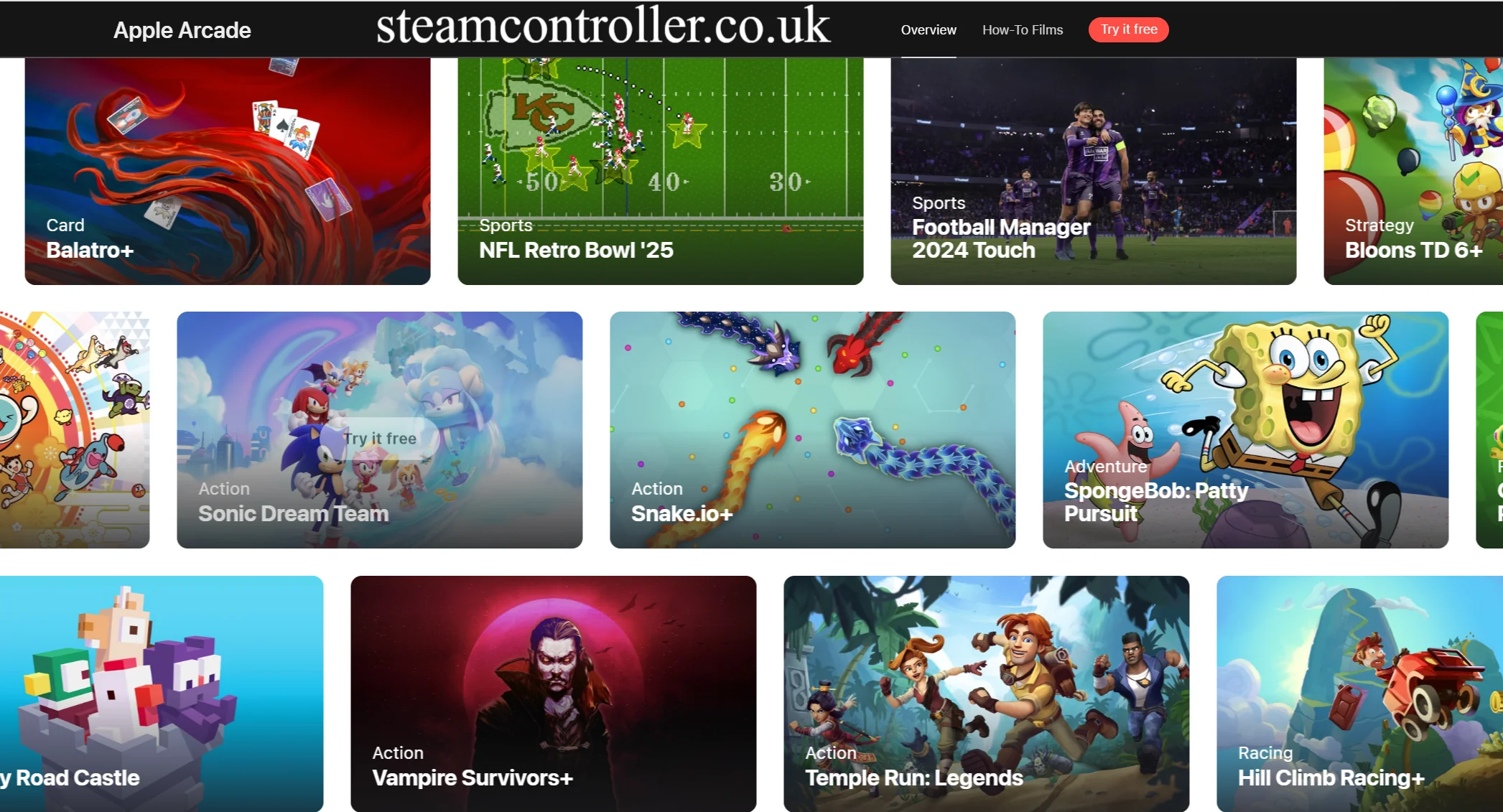
What Games Are on Apple Arcade?
The library mixes three kinds of titles:
- Exclusive games, made for Apple Arcade and not available on Android or competing mobile subscriptions.
- Indie games from small studios, which often experiment with art styles and ideas that big publishers avoid.
- Classic games and franchises, including enhanced versions of familiar mobile and console names, marked with a “+” in the App Store.
Genres span puzzle, platformers, role-playing, racing, sports, simulation, card and board games, and kids’ titles. Apple adds games on a rolling basis and occasionally retires underperforming ones, so the catalog is not static. Browse the Arcade tab and its “Coming Soon” section for the current list.
What Are the Best Apple Arcade Games?
Rankings are subjective, and the library changes, so treat this as a starting point by play style rather than a permanent list. When the service launched, widely praised titles included Sayonara Wild Hearts, Oceanhorn 2, and What the Golf?, and many long-running favorites remain good entry points. A better approach is to pick by what you like:
- Quick sessions on your phone: puzzle and card games
- Deeper, story-driven play: adventure and role-playing titles
- Couch play on Apple TV: racing, sports, and party games with controller support
- Kids: creative and educational titles from familiar children’s brands
Because every game is included, the smart move is to download several in the first week and delete the ones that don’t click.
Are Apple Arcade Games Ad-Free?
Yes. Apple Arcade games have no ads and no in-app purchases. You also won’t find paywalls, energy timers, or “pay to skip” mechanics. Apple also states that the service is built with user privacy in mind, and Arcade games aren’t supposed to track you for advertising. For parents, that makes it a safer environment for kids than most free-to-play mobile games.
Can You Play Apple Arcade Games Offline?
Yes, in most cases. Once a game is downloaded, you can play it without an internet connection, which suits flights, commutes, and road trips. A few titles with online multiplayer or live features need a connection for those modes. Your game progress syncs across your devices when you’re back online, so you can start on an iPad and continue on an iPhone.
What Devices Support Apple Arcade?
Apple Arcade works on:
- iPhone
- iPad
- Mac
- Apple TV
- Apple Vision Pro
You need a reasonably current version of each device’s operating system. Not every game is available on every device, and some Apple TV titles require a controller. You can pair a PlayStation or Xbox controller with your Apple device, and many Arcade games support them, which makes iPhone, iPad, and Mac gaming feel closer to a console.
Where Is Apple Arcade Available?
Apple Arcade is available in more than 150 countries and regions, including the US, UK, Canada, and Australia. Pricing and trial terms vary by region, so check the Arcade tab in your local App Store.
Where Do You Find Apple Arcade Games?
Open the App Store and tap the Arcade tab. Games are also surfaced in the Apple Games app, which Apple introduced at WWDC25 as a central place to discover and launch games. Games you download show a “+” next to their name, indicating the Arcade version.
Can You Buy Apple Arcade Games Separately?
Generally no. Apple Arcade games are only included through the subscription. Some titles do exist as separate purchases on other platforms, such as consoles or PC, but those are different versions. If you want to keep a game permanently, buying a standalone version elsewhere is the only route.
Apple Arcade: Features and Benefits at a Glance
- A flat monthly fee with no add-ons
- Family Sharing for up to six people
- Offline play for most games
- Progress syncing across devices
- Controller support for many titles
- No ads and no in-app purchases
- Regularly added new games and updates
The honest downsides: you lose access when you stop paying, you’re limited to what Apple curates, and big-name console blockbusters are rare. If you want the newest AAA releases, a console or PC will serve you better.
Is Apple Arcade Worth It? (Original Analysis)
The service pays off if you play on at least one Apple device regularly, have kids, or hate ads. The math is simple: if you’d otherwise buy even one paid mobile game a month, the subscription has already covered itself. The family angle improves the value further.
It’s a poorer fit if you mostly play competitive online shooters or large open-world games, or if you only play one free game like a battle royale. In that case, you’d be paying for a library you don’t touch. Use the free trial to test your own habits before committing.

Frequently Asked Questions
What is Apple Arcade used for?
Apple Arcade is used to play a rotating library of premium games on Apple devices for one monthly fee, without ads or in-app purchases. People use it for casual mobile play, family gaming, and living-room play on Apple TV with a controller.
What is Apple Arcade worth?
At $6.99 a month, it’s worth it if you play regularly or share it with family, since one subscription covers up to six people. It’s less valuable if you mainly play free online games or AAA console titles.
What is an Apple Arcade subscription?
It’s a recurring monthly plan, billed through your Apple Account, that unlocks the full game library. It starts with a free trial for new subscribers, and you can cancel any time. You can also get it through the Apple One bundle.
What is Apple Arcade on Reddit?
I can’t verify any single Reddit consensus, so I won’t quote one. Discussions on the platform commonly weigh the same trade-offs covered above: strong value for families and ad-free play versus a catalog that skews casual and indie. Reading recent threads can help you judge current opinions of the game lineup.
Is Apple Arcade an app?
No. It’s a subscription service, not a standalone app. You access it through the Arcade tab in the App Store, and each game downloads as its own app. The Apple Games app also helps you find and launch them.
What is Apple Arcade 3 months free?
It’s an offer for people who buy a new, eligible iPhone, iPad, Apple TV, or Mac. You get three months of free access instead of the standard one month, if you redeem it within the window Apple sets after activating your device.
What are the best Apple Arcade games?
It depends on what you like. Puzzle and card games suit short phone sessions, adventure and role-playing titles suit deeper play, and racing or sports games work well on Apple TV with a controller. Since everything is included, try several during the trial.
Is Apple Arcade free?
Not permanently. It’s free for the first month for new subscribers (up to three months with a qualifying device purchase), then costs $6.99 a month in the US.
Also Read: